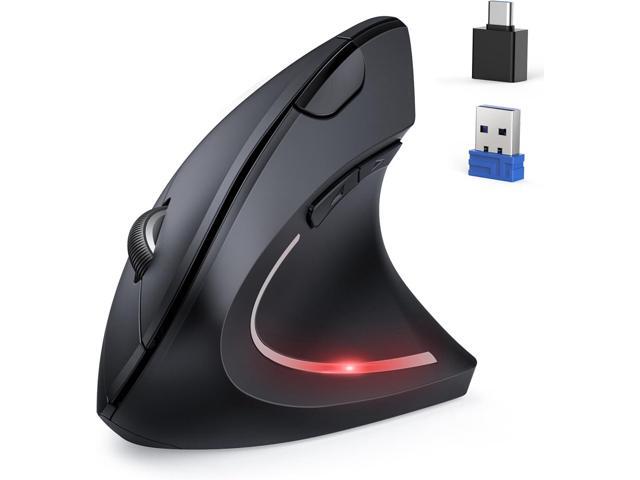
Ergonomic Design & Jiggler ModeThe wireless mouse's ergonomic design offers ultimate comfort by placing your palm at a near-vertical angle on the desktop, reducing pressure and pain on your wrist caused by prolonged inverted mouse usage. Press and hold the DPI button for 3 seconds to enter Jiggler mode, where the mouse moves randomly on the screen. You can interrupt Jiggler mode and use the mouse normally without turning it off. However, it will return to Jiggler mode after 10 seconds of mouse inactivity. If you want to turn off the Jiggler completely, press and hold the DPI button again for 3 seconds.(Note: Mouse is designed for right-handed use only.) Seamless Switching Between Three DevicesThe ergonomic mouse features Bluetooth (5.0/3.0) and 2.4GHz USB modes for connectivity. When connected via Bluetooth, The vertical mouse can effectively reduces the usage of your USB-A or C port (Bluetooth mode can connect to two devices simultaneously), which is convenient for device
TECKNET Ergonomic Mouse, Jiggler Bluetooth Wireless Vertical Mouse, 4800 DPI Silent Mouse with 6 Adjustable DPI Levels, 2.4GHz (USB A & C) Mouse, 6...
Similar products

9 Band Radio With Bluetooth

Dual Compact LED Gaming Speakers

13.3" Portable Digital TV with 12V DC Car Adapter and Rechargeable Battery

Cubitt VIVA Pro Smartwatch / Fitness Tracker with 1.78" Touch AMOLED Screen

Drum Microphone Kit 9Pc All Metal Drummer Mics Tom/Snare & Cymbals Wired Instrument Drums Set
