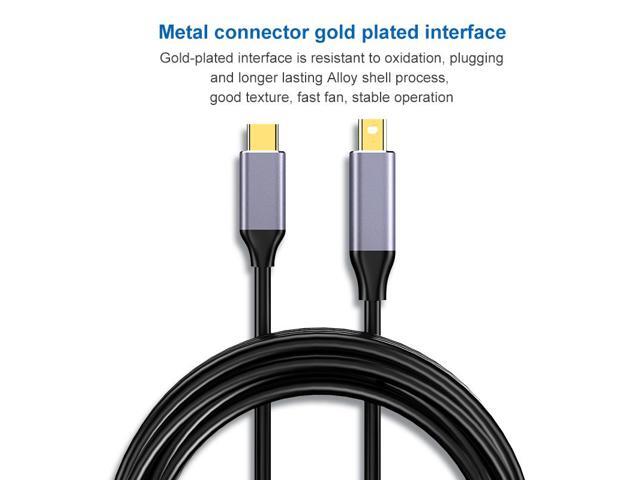
Cable was Type C port Video output to Mini DisplayPort Port Cable?so the source has to be the USB-C.?. Can't Reverse Output,Please use the USB-C port connect your laptop/iPad, and the Mini DisplayPort port connect the display (Unidirectional transmission ONLY).PLUG & PLAY: plug auto-recognition,no-need Driver, plug auto-recognition.video output up to 4K@60Hz. High-Definition: (Can't Data transfer,only Video output,CAN'T use for Dock,hub,docking station) Audio and video synchronous transmission, high-definition display as 4K / 3840x2160 @60Hz, transmission speed up to 5.4 Gbps.[Not Compatible with Thunderbolt 2 Cable or Device] GOOD QUALITY: Nylon braided cable not easy to bend knotted, resistant to dirt, abrasion, durability. The aluminum alloy casing greatly reduces the resistance and provides the highest quality transmission speed. WIDELY COMPATIBLE: Compatible with Thunderbolt 3 (Not Comapatible with Thunderbolt 2) to Mini displyport.This Type C to Mini Displayport cable works
COFIER type-c to Mini DisplayPort DP Cable 4K@60Hz 6ft Unidirectional transmission Compatible with MacBook Pro MacBook Air More USB C Device
Similar products

9 Band Radio With Bluetooth

Dual Compact LED Gaming Speakers

13.3" Portable Digital TV with 12V DC Car Adapter and Rechargeable Battery

Cubitt VIVA Pro Smartwatch / Fitness Tracker with 1.78" Touch AMOLED Screen

Drum Microphone Kit 9Pc All Metal Drummer Mics Tom/Snare & Cymbals Wired Instrument Drums Set
